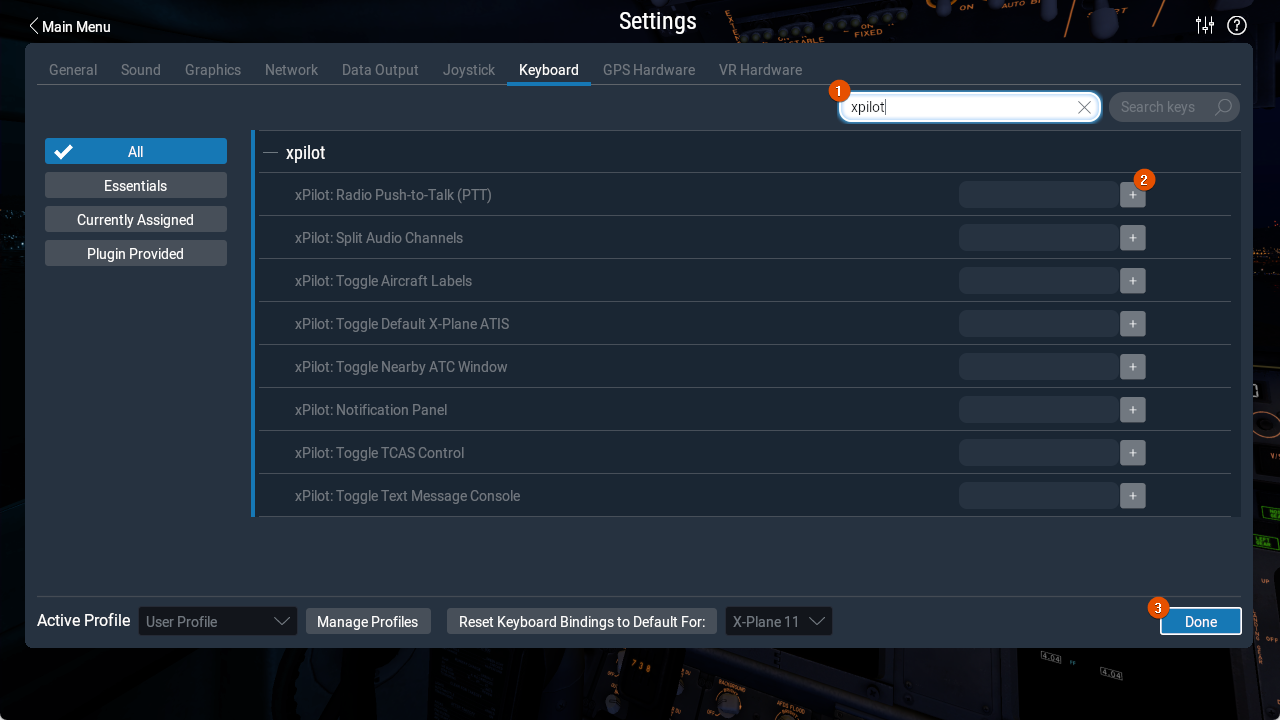
Push to Talk
You must assign a Radio Push to Talk (PTT) binding to talk to controllers over voice on VATSIM. You can bind PTT to either a joystick button, which is recommended, or a keyboard key.
If you use a keyboard key for PTT, X-Plane must be the active window for the key press to be detected. Click into the X-Plane window before transmitting. X-Plane also does not allow modifier keys such as CTRL, ALT, or SHIFT to be used by themselves.
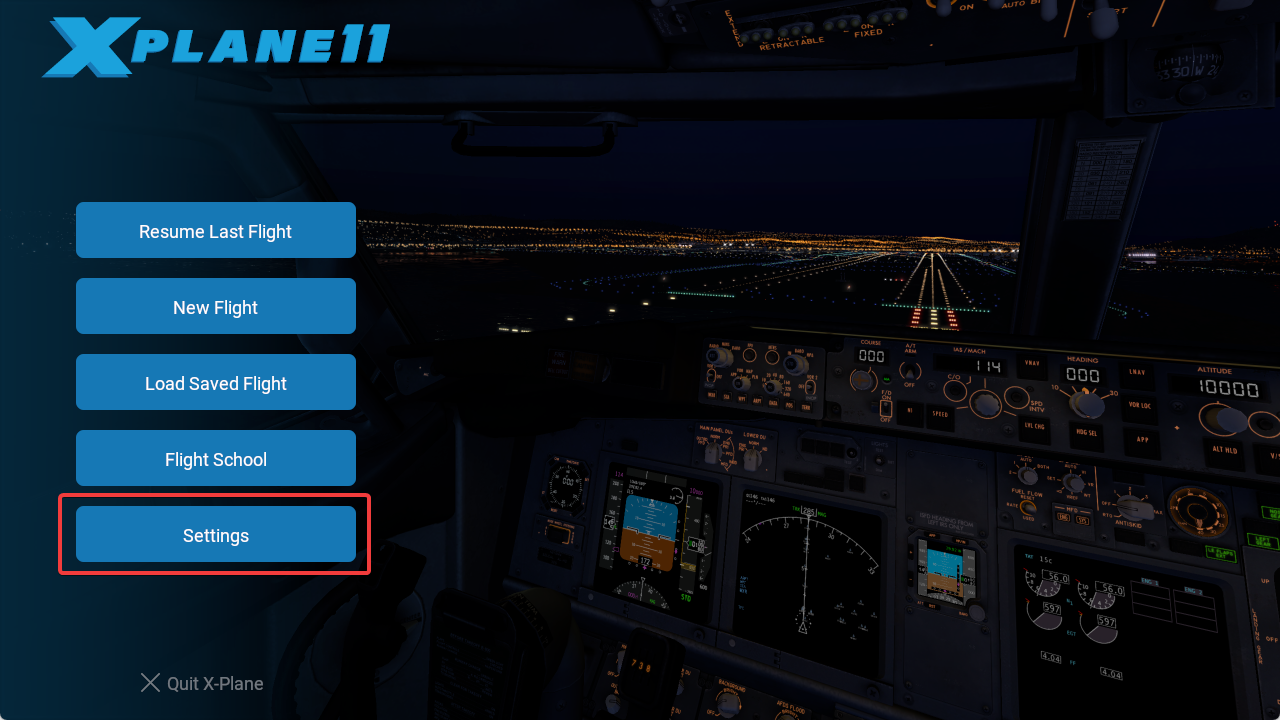
To configure your PTT binding, open the X-Plane settings menu.
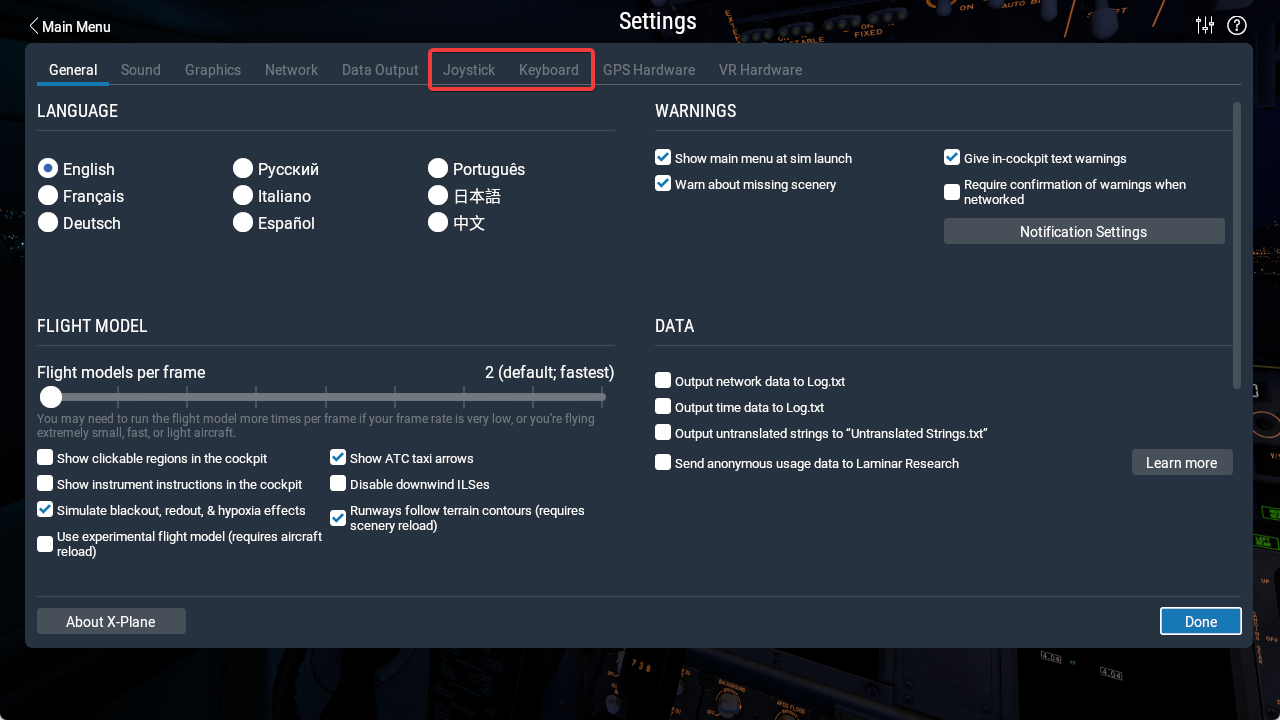
Then open either Joystick or Keyboard, depending on how you want to assign PTT.
Bind Joystick Button
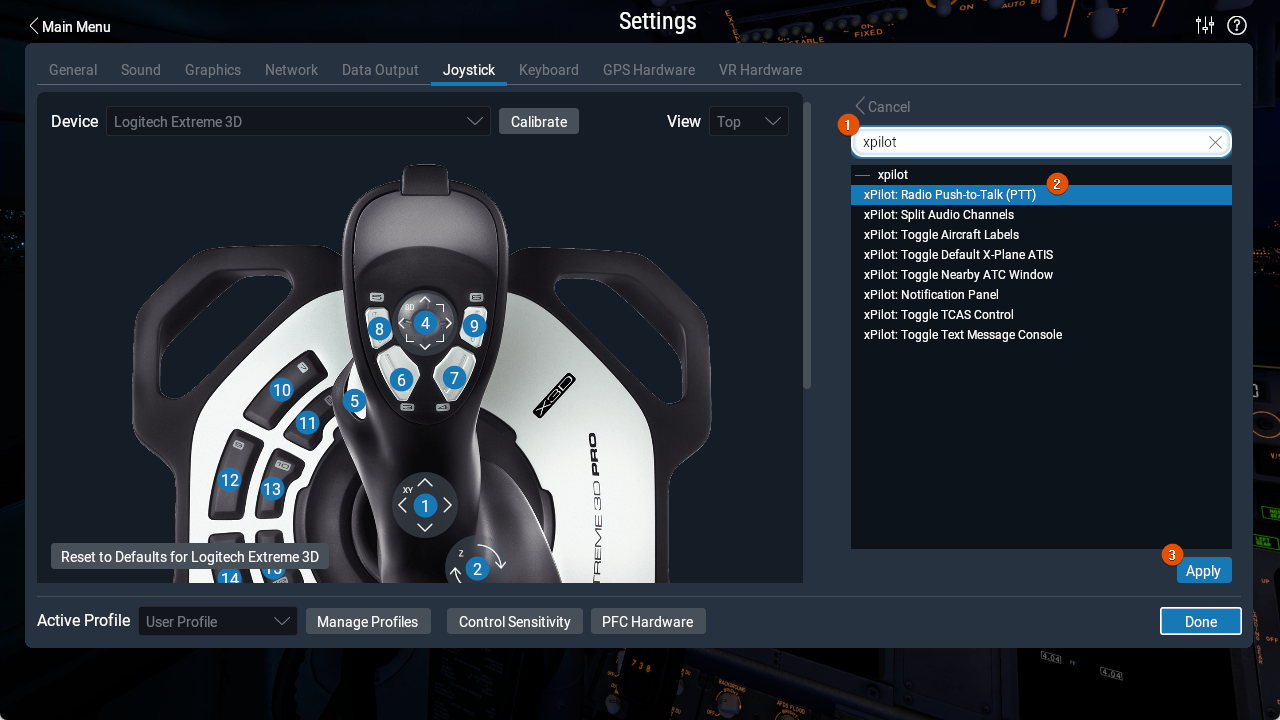
To assign PTT to a joystick button, double-click the button you want to use in the device diagram, or locate it in the list and click Edit.
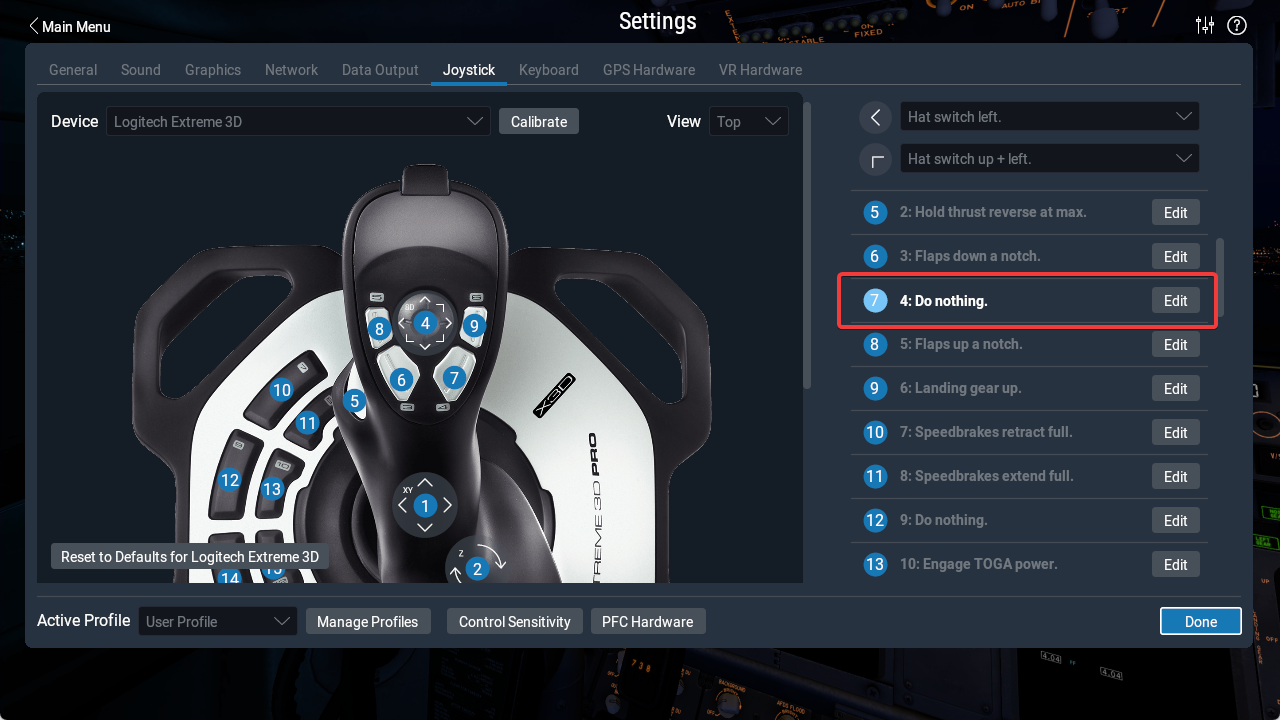
In the search field, type xPilot, select xPilot: Radio Push-to-Talk (PTT), and click Apply.
Bind Keyboard Key
Open the Keyboard menu in X-Plane settings. Search for xPilot, find xPilot: Radio Push-to-Talk (PTT), click the + button, and press the key you want to assign. Modifier keys such as CTRL, SHIFT, and ALT cannot be used by themselves. When you are finished, click Done.